7 Steps to Connect ChatGPT with Your Apps Using Composio
· based on the channel DataEdu
Key takeaways
- Composio connects AI assistants like ChatGPT and Claude to apps such as Google Drive.
- Native and external connectors enable seamless integration with various platforms.
- Authorization processes and permissions are key to secure connections.
- Composio supports multiple AI tools including Manus IA for enhanced automation.
- DataEdu offers tutorials and guides to master AI productivity tools.
Connecting ChatGPT and other AI assistants to your daily applications can significantly enhance productivity and workflow automation. Composio offers a straightforward way to link ChatGPT, Claude, and other AI tools with apps you already use, such as Google Drive, allowing you to leverage AI capabilities directly within your existing software environment. For a bonus resource on transforming data into compelling stories, check out this Storytelling book from DataEdu.
Understanding Composio Connectors
Composio utilizes two main types of connectors to integrate AI assistants with applications: native connectors and external connectors. Native connectors are built-in integrations designed specifically for certain apps, ensuring smooth and optimized communication. External connectors, on the other hand, provide a more flexible approach, allowing connections to apps that may not have direct native support but can communicate through APIs or other methods.
These connectors enable actions such as reading, writing, and managing files or data within the connected apps. For example, when linking ChatGPT to Google Drive, Composio lets you authorize access and perform tasks like searching documents or uploading content via AI commands.
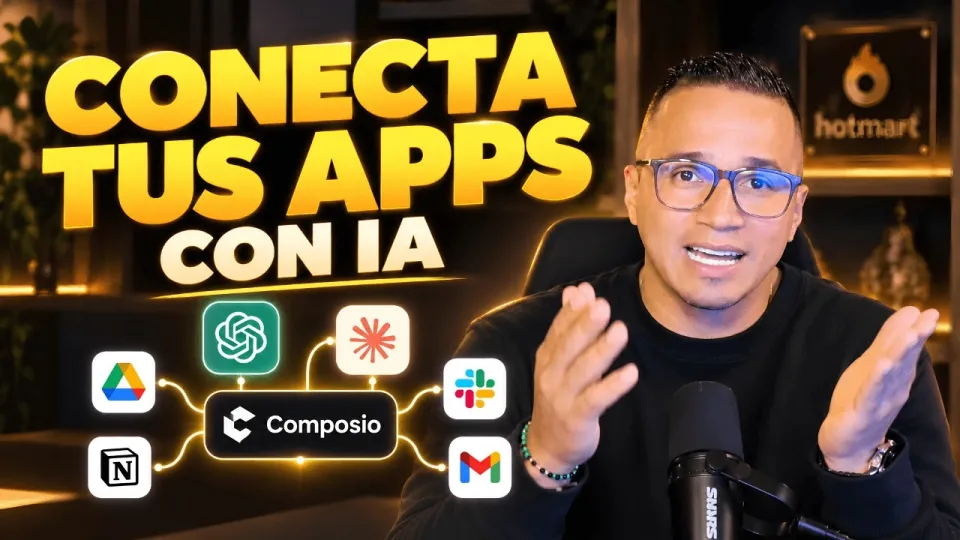
Step-by-Step Guide to Connect ChatGPT with Google Drive Using Composio
Connecting ChatGPT to Google Drive through Composio involves a clear sequence of steps to ensure security and functionality:
- Create or Log into Your Composio Account: Start by signing into Composio's platform to access the integration tools.
- Select the Google Drive Connector: Choose the native Google Drive connector from the list of available integrations.
- Authorize Access: Composio will prompt you to log into your Google account and grant specific permissions necessary for the AI to interact with your files.
- Configure Actions: Define what actions ChatGPT can perform, such as reading files, creating new documents, or organizing folders.
- Test the Connection: Run a simple test action, like retrieving a file list, to confirm the integration works.
- Use ChatGPT Commands: Start issuing commands to ChatGPT that leverage Google Drive data seamlessly.
This process ensures that all permissions are explicitly granted and that your data remains secure while allowing ChatGPT to enhance your productivity.
Leveraging AI Assistants Beyond ChatGPT: Claude, Manus IA, and More
While ChatGPT is highly popular, Composio also supports other AI assistants like Claude and Manus IA. These tools offer unique features and integration options depending on their capabilities and the connectors available. For instance, Claude can be connected similarly to Google Drive or other applications via Composio, enabling you to choose the AI assistant that best fits your workflow.
By using Composio, you can unify multiple AI tools under one integration platform, making it easier to automate complex tasks and streamline operations without switching between different apps.
Addressing Security and Permissions Concerns
One common question relates to the security of integrating AI assistants with sensitive data, especially in environments like Power BI or Google Drive. Composio’s authorization process ensures that users explicitly grant permissions, which are limited to the actions defined during setup. It’s essential to review the permissions requested by connectors carefully and restrict access to only what’s necessary.
Always consider organizational policies on data privacy and security before connecting AI assistants to business-critical applications. Composio’s approach aims to balance functionality with security by using OAuth and other standard authorization methods.
Tips for Maximizing Productivity with AI App Integrations
To get the most out of connecting ChatGPT and similar AI assistants to your apps:
- Identify Repetitive Tasks: Automate routine file management, data queries, or report generation.
- Customize AI Commands: Tailor prompts to interact with your specific data sets or documents.
- Combine Multiple Apps: Use Composio to link several platforms, creating integrated workflows.
- Stay Updated on Connectors: New integrations and features are regularly added, expanding capabilities.
- Leverage Learning Resources: Utilize tutorials and courses from DataEdu to deepen your understanding of AI and data tools.
Useful Links
- DataEdu Storytelling Book for Dashboard Mastery
- Excel DataEdu for Faster Data Analysis
- Learn Advanced DAX for Data Analysis
- DataEdu Instagram
- DataEdu LinkedIn Profile
Итог
Connecting ChatGPT and other AI assistants like Claude to your apps using Composio is a powerful way to automate tasks and boost productivity. By understanding connectors, managing permissions carefully, and leveraging multiple AI tools within one platform, users can transform their workflows efficiently. For further learning and practical guides, explore the resources provided by the DataEdu channel, including the detailed Storytelling book linked above. This approach opens new possibilities for integrating AI into everyday applications safely and productively.
Questions & answers
Is it safe to connect Composio to applications containing sensitive data like Power BI?
Composio uses secure authorization protocols that require explicit permission from users before accessing any data. However, it is important to carefully review and limit permissions to only what is necessary, especially when working with sensitive or proprietary data. Always follow your organization's data security policies when integrating AI assistants.
Can I connect AI assistants other than ChatGPT using Composio?
Yes, Composio supports multiple AI assistants including Claude and Manus IA. The platform allows you to connect these tools to various applications, depending on the available connectors and integrations, enabling diverse AI-powered workflows.
What types of connectors does Composio offer for app integration?
Composio provides native connectors designed for specific apps and external connectors that allow integration through APIs or other protocols. Native connectors offer optimized performance for supported applications, while external connectors provide flexibility to connect less common apps.
Do I need to authorize every time I use ChatGPT with Google Drive via Composio?
Authorization is usually required only once per account and connector setup. After granting the necessary permissions during the initial connection, Composio securely stores the authorization token to allow continuous access until revoked or expired.
Source: Conecta ChatGPT, Claude y tus apps: así haces más con Composio · Markdown version